Pinky Gohil · AI projects
Case study · Working with Claude

From a spec sheet to a walkable 3D exhibit stand, in conversation

NeenOpal's booth at ALTA ONE 2026 was a rented 10′ × 10′ Freeman exhibit. Before a single graphic went to print, I wanted to see how our artwork would actually sit on it. This page shows how the interactive 3D model came together, including the wrong turns, and how the real booth looked in Scottsdale.

ALTA ONE 2026 · Westin Kierland, Scottsdale AZ Freeman “Excite 1” 10′ × 10′ · #1810114 One self-contained HTML file · no external requests Three.js
Booth model session Aug – Oct 2026
01 The brief
PG
Pinky

We're exhibiting at ALTA ONE with the Freeman Excite 1 10×10. I have backdrop and L-panel artwork, plus a counter and a TV. Can you build me a 3D model so I can see how it all sits in the booth before we print?

C
Claude

Yes. I'll pull the exhibit's real dimensions from the Freeman and ALTA ONE listings first, so the model is built from published numbers rather than guesses. The goal is one HTML file you can open anywhere, with your artwork mapped onto the right panels.

02 Facts from the listing
C
Claude

From the ALTA ONE store listing, word for word:

  • 8′ H multidimensional backwall with a fabric mural graphic and offset L-shaped header
  • One 39″W × 19.5″D × 41″H cabinet with locking door and inset graphic
  • Three arm spotlights; carpet with ½″ padding

The Monitor options come from Encore's “Build Your Own Monitor Package”: 23″ without stand, 55″ or 80″ with floor stand. I calculated the active screen area of each from its diagonal at 16:9.

03 Round one: inferring the header
C
Claude

Freeman doesn't publish the header dimensions anywhere. So I measured the transparent cutout in your backdrop PNG against an assumed 120″ × 96″ wall. The margins came out equal at about 20″.

I flagged this as a best inference, not a fact: the 120″ wall width was itself an assumption.
04 Round two: your sizing, and a conflict
PG
Pinky

The brief I was given says the backdrop is a full 10′ × 10′ and the L-panel is 1′-6″.

C
Claude

I measured your LPanel.png: exactly 18.00″ on both legs, so that matches. But a 10′ tall wall contradicts the listing's 8′ H, and most shows cap inline booths at 8′.

I raised the conflict rather than silently picking one. The spec sheet later settled it.
05 Round three: the spec sheet
PG
Pinky

Here's Freeman's graphic spec sheet for the 10×10.

C
Claude

This is the authoritative source, and it corrected three things. The sheet prints at 200%, so I halved the artboards. Final panels:

PanelSizeSubstrate
A · wall117″ × 93″Fabric
C · top band102″ × 15″Ultraboard
D · right column15″ × 93.3125″Ultraboard
G · counter front38.125″ × 35.75″PVC

Two surprises: the top band stops short of the right column, and the column runs full height instead of starting under the band. Same silhouette, different subdivision.

Lucky break: the visible window of the wall stayed 102″ × 78″ across rounds two and three, so your backdrop artwork needed no rework.

C
Claude

Freeman's own design note applies directly to your artwork:

“Graphic Panels C and D are designed to overlap. When creating artwork for Panels C and D, please ensure all critical elements are adjusted to properly account for the overlap area.”

In practice that's the end of your tagline and the QR code, where the two panels meet 43.5″ from the left edge.

06 Correcting myself
C
Claude
One correction. I'd said the 3″ step between the wall and the header panels was “estimated from the product photography.” That overstated it. The photos show a step exists, but I never measured its depth; 3″ is a typical value for this construction.

It only changes how deep the shadow line looks in renders, never a print dimension. It's now listed as the model's one real assumption.

07 What the model can do
C
Claude
  • Drag the TV, counter, a 5′8″ staff figure and a 5′10″ visitor; arrow keys nudge, Q/E rotate
  • Collision checks use true oriented-box tests, not circles, so an angled counter warns correctly
  • Three monitor sizes on a floor stand or sitting on the counter, with the overhang flagged
  • Upload your own artwork per panel, or one 117″ × 93″ file that gets sliced into C and D without resampling
  • Six camera presets, a dimension overlay, carpet colours, and Save PNG
08 Checking the work
C
Claude

Your artwork files matched the modelled window to within a pixel (aspect 1.3081 vs 1.3077). The L-panel cutout measures 18.03″ on both sides. I also verified the file makes zero external network requests, and that uploading C and D separately renders identically to slicing one full-wall file (mean pixel difference 0.19 / 255).

09 Design findings
C
Claude

Putting people and furniture in the model surfaced things a flat mock-up hides:

  • The 42″ rule. Below roughly 42″ everything is hidden by the counter, a monitor or people standing at the stand. The usable band on a 78″ window is 42″–72″.
  • Your lowest bullet, “Ask. Analyze. Act.”, sits at about 24″ and is the most likely to be blocked, and is arguably the strongest line.
  • Monitor size. An 80″ on a floor stand overwhelms a 10×10 and blocks the wall from the aisle. A 23″ on the counter leaves the wall fully visible; 55″ sits between.
10 Left open for Freeman
C
Claude
  • Confirm the true depth of the header step with Freeman's sales team
  • Reissue panels A, C, D and G at the spec-sheet sizes, and request Freeman's own artwork template with bleed
  • The ALTA listing and Freeman's NACDS sheet disagree slightly on the counter (39 × 19.5 × 41 vs 40 × 20 × 40). The listing governs this order, so that is what the model uses.
PG
Pinky

Perfect. Sending the final artwork to Freeman. See how it came out →

The conversation is condensed and reordered from my working session; the figures, quotes and sources are exact. Full spec record available on request.
The model, live
The real thing

At ALTA ONE 2026

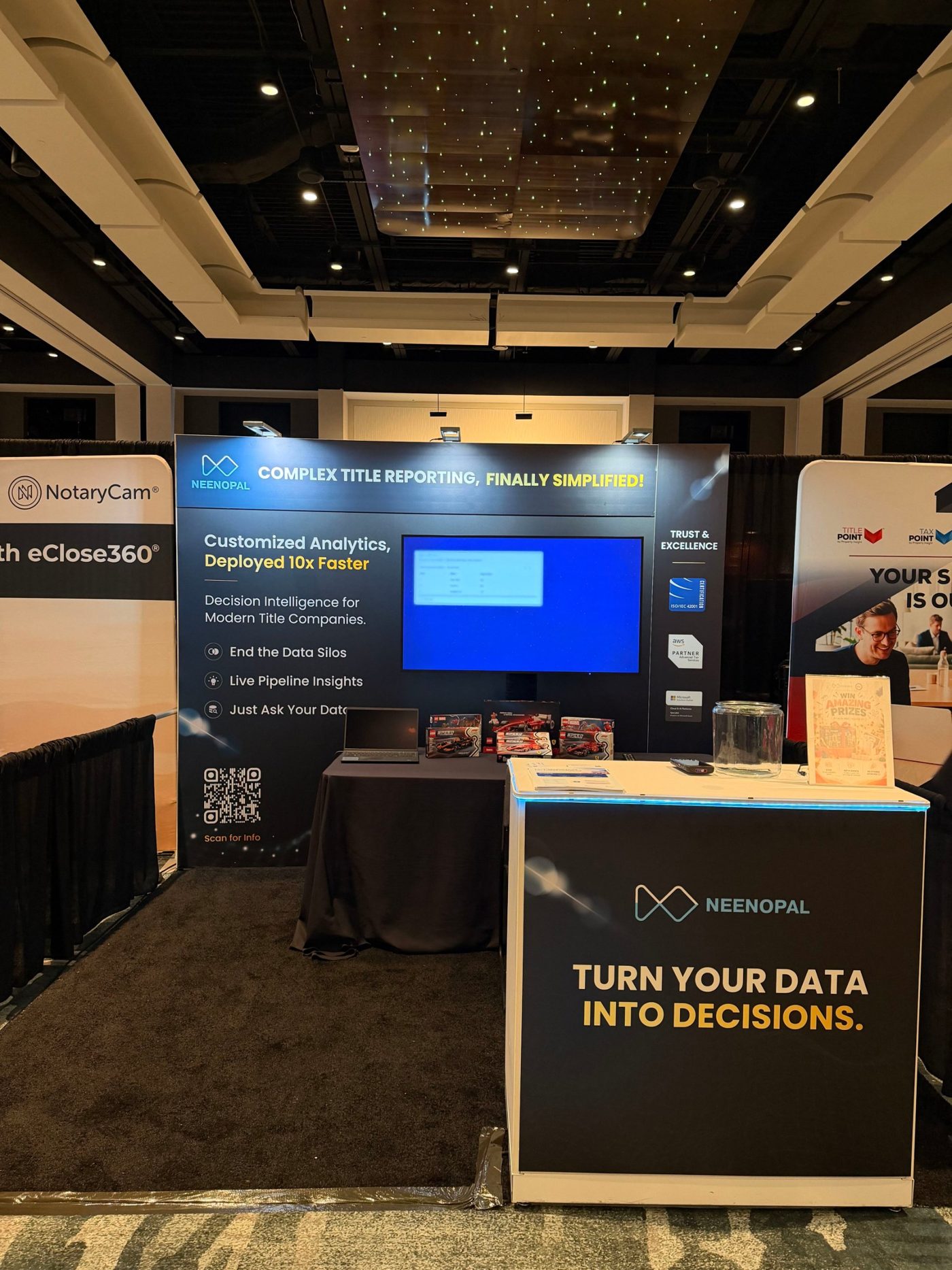
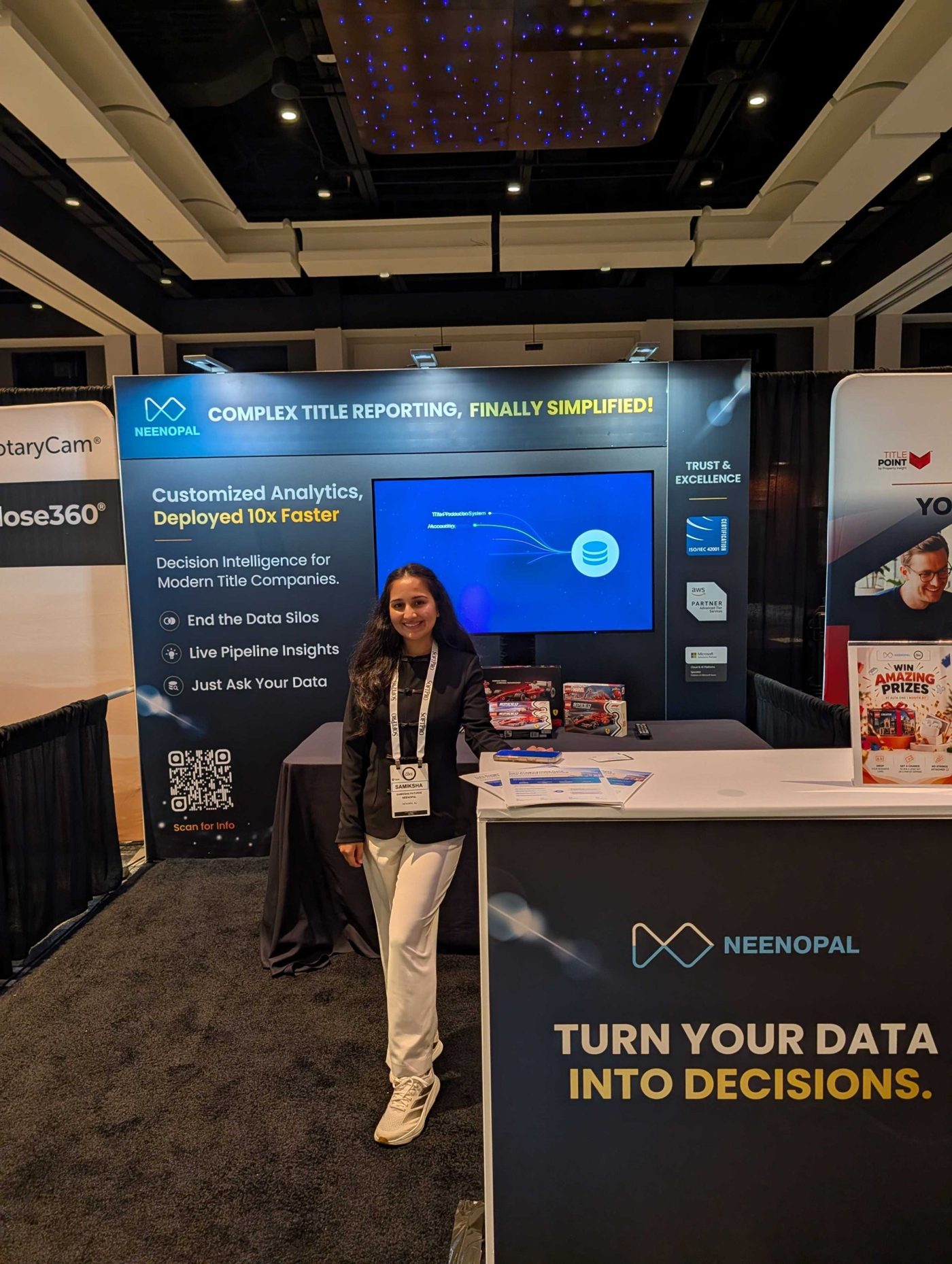
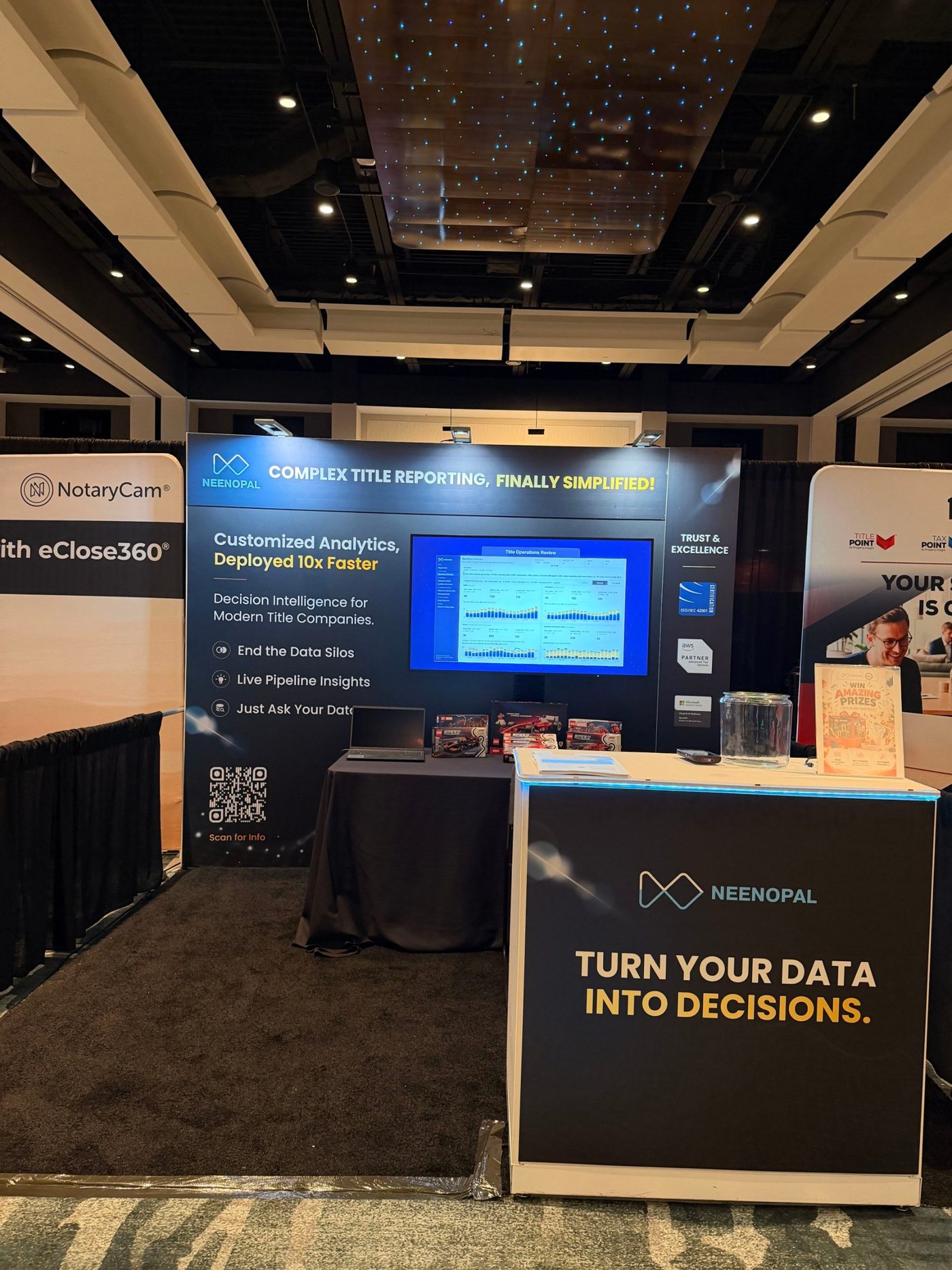
Scottsdale, 12–14 October. Photos of the finished NeenOpal stand on the show floor.
The model next to the real thing

Same front-on angle. The model carries the final print artwork on the backdrop, header, side column and counter. The monitor shows the Title AI Agent slide. The two figures are stand-ins.
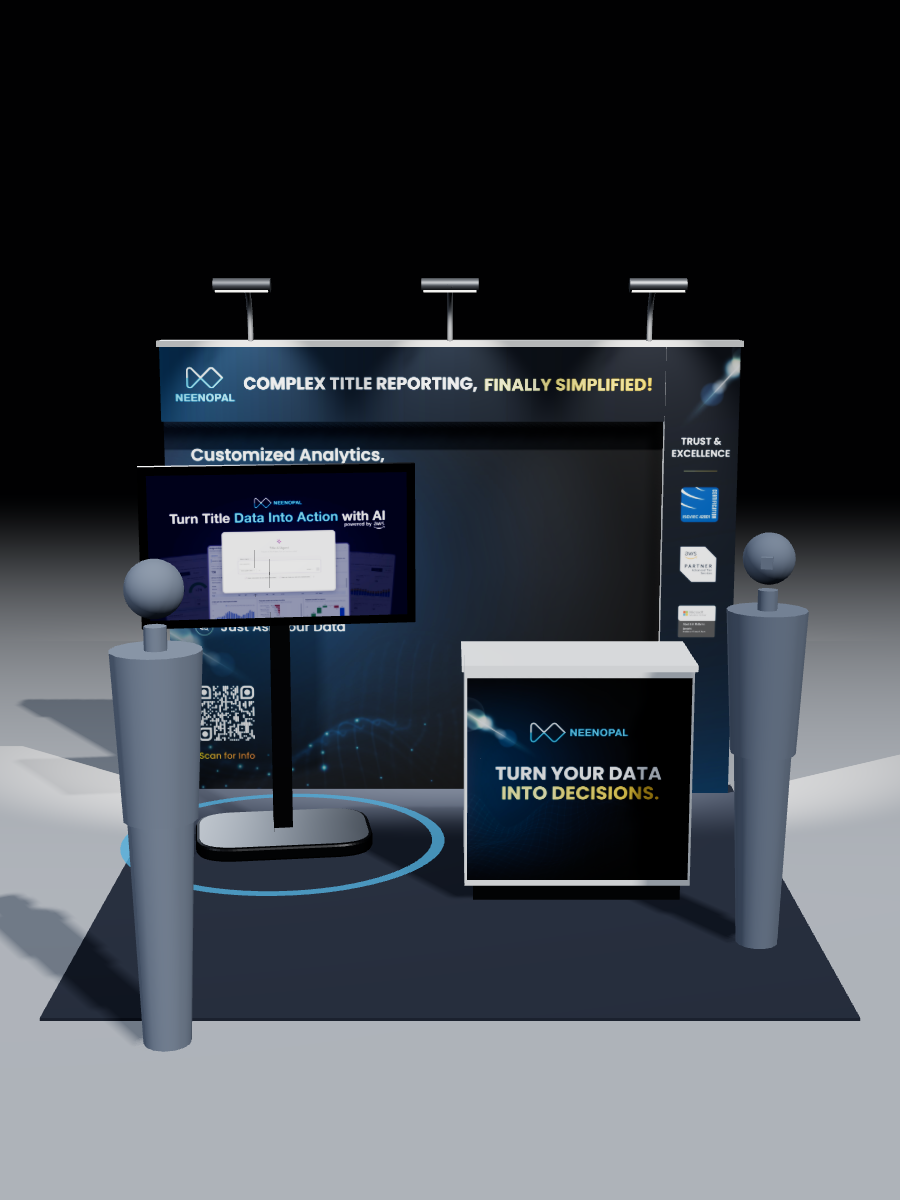
3D model, front view
The 3D model
Real booth, front view
The booth at ALTA ONE
Key takeaways

From guessing to checking

At NeenOpal, my team designs the booth graphics for industry events. Until recently that meant flat artwork and a guess at how it would look once printed and installed. This time we could see it first.

A guessing game became something we could check

Flat artwork can't tell you whether text will be readable, where the TV should sit, or whether visuals line up with the booth's structure. A 3D model at the booth's exact dimensions, with our graphics on the walls, can.

No 3D skills needed

I don't know 3D software, and learning it would have taken days. With Claude, the whole setup took under two hours.

It changed how we designed

We could judge how much text each wall could hold, find the right spot for the TV, and see how everything worked together as one space.

Approval got easier

Our founders could see exactly what they were signing off on. Once the booth was built, they told us they thought it was one of the best at the event.

It's a small thing, but it turned a guessing game into something we could check before committing to it.